
InspectionAdd-on
Take photos on site. Get the report written.
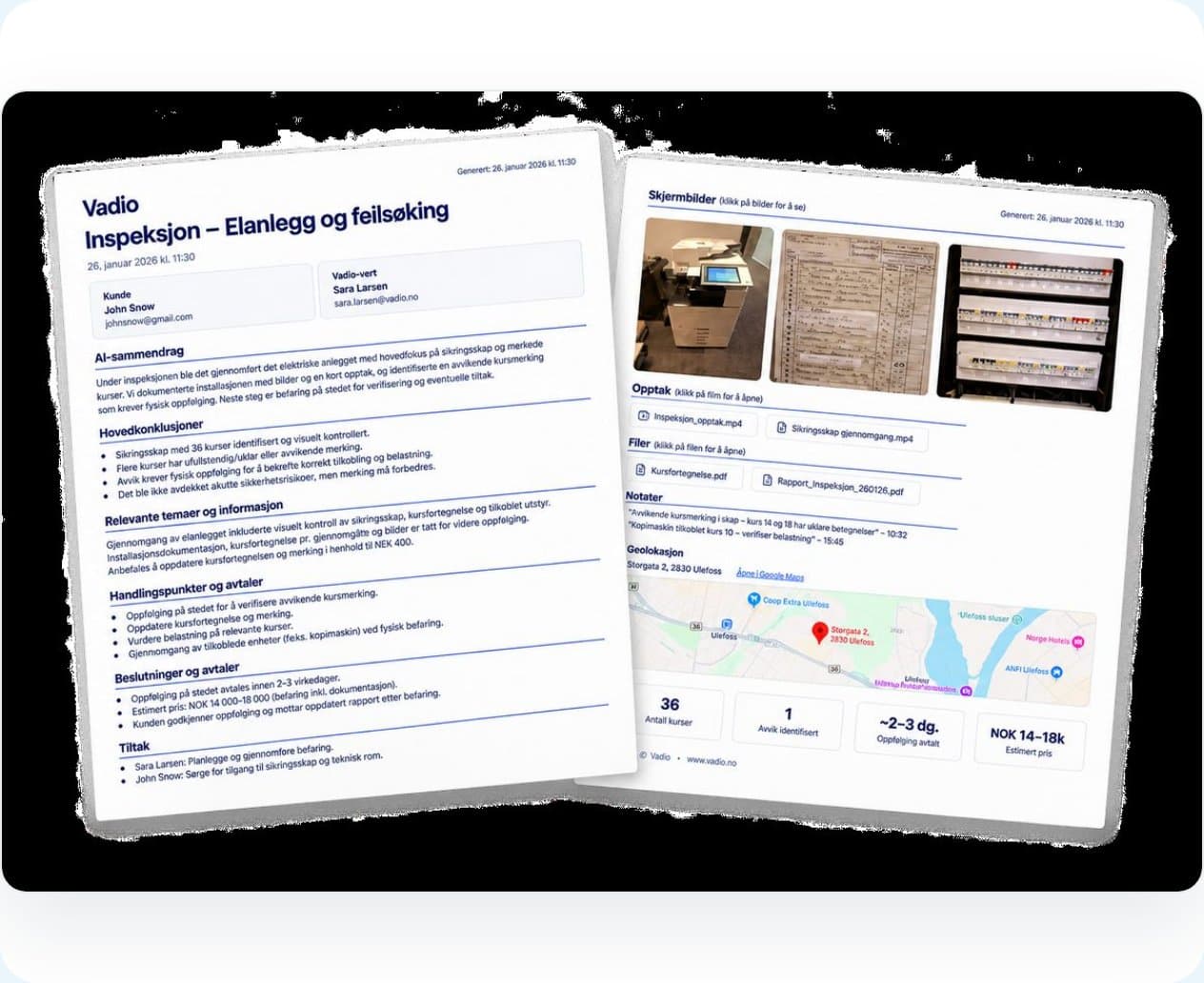
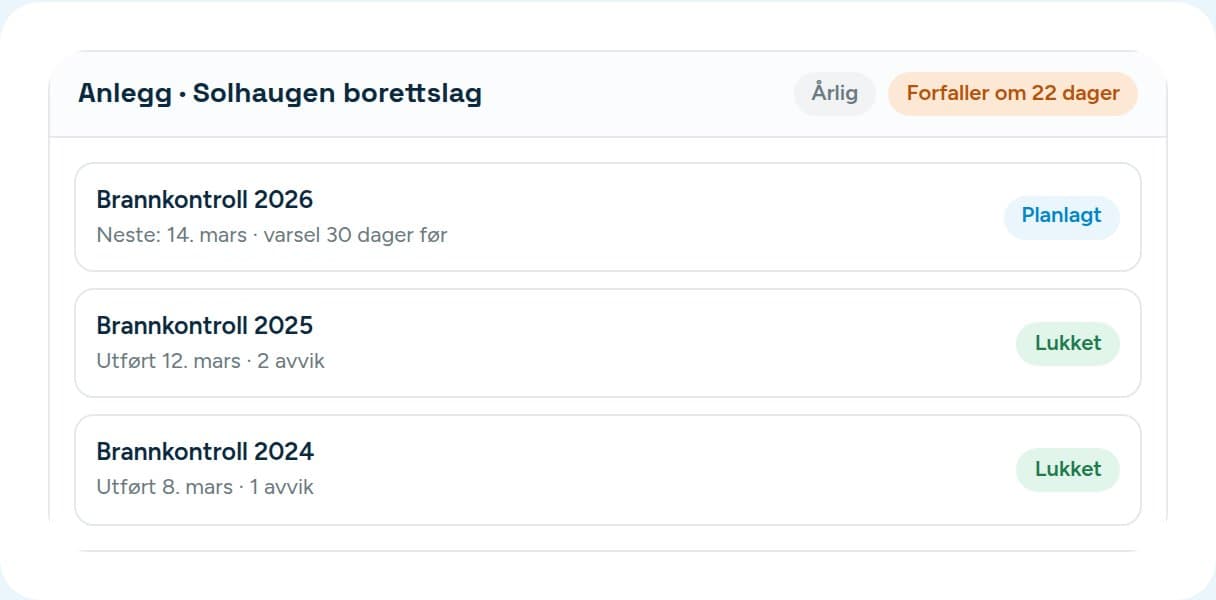
Work through a checklist on the tablet, or just take photos and talk into the app and let Vadio sort them afterwards. The draft follows your template, with a condition grade and recommended action per item. You correct it, sign it off and send it.
Two ways to record
A checklist when it suits. Just photos when it’s urgent.
The two modes never mix on the same inspection — you choose when you start.
- A checklist on a tablet or PC: answers and photos per item, with a gate that tells you if anything is missing before you can finish.
- Field mode on the phone: take photos, video and voice notes in whatever order suits. No items to keep track of on site.
- In field mode you tap Finish inspection, and Vadio puts the recordings on the right items afterwards.
- With no signal everything is kept on the phone and uploads by itself. You see what is waiting.
Sites
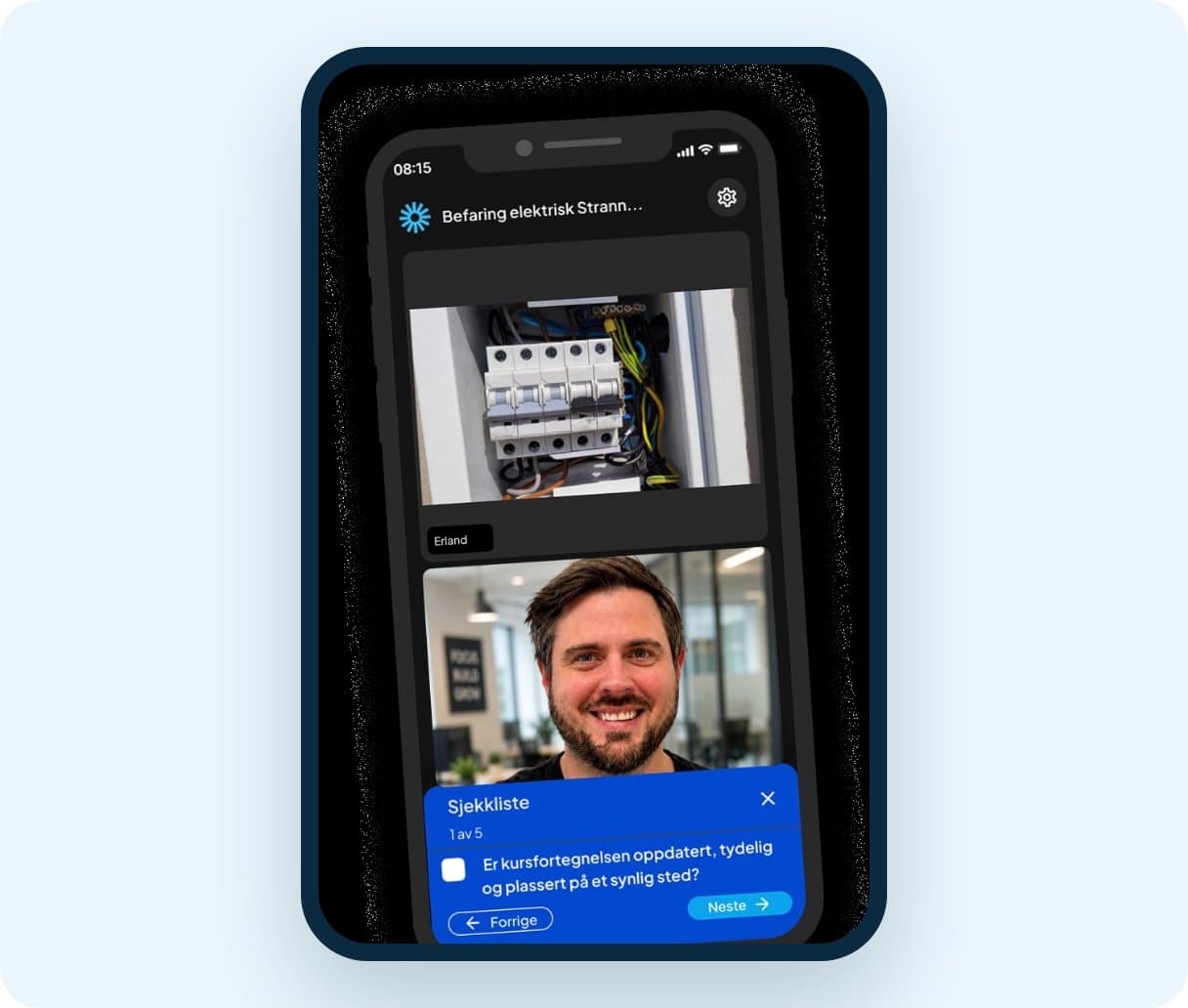
The site remembers when it was last inspected.
Every site has an address, a default template and an inspection interval. Vadio works out when the next inspection is due and warns you in good time — you decide how many days before.
- The next inspection is worked out from the last one, so you don’t keep a list.
- If it isn’t needed this year, you can postpone the reminder or skip the cycle without losing the history.
- The next inspection starts from the last report, so you see which deviations were closed.
- The site belongs to the customer, or to the case if the customer hasn’t been created yet.
The report
A draft you can overrule, not a black box.
From report to revenue
The deviations become suggested offer lines.
If you found something that needs fixing, Vadio suggests lines from your price list. Each line shows what in the inspection it is based on, and whether it matched a catalogue item or is a suggestion you need to confirm. Needs Sales & CRM; with Inspection alone, it stops at the report.
- The quantity comes from a field you have marked as a quantity, or from you. Vadio never guesses from a number that happened to be in the recording.
- Lines you don’t want, you reject. They don’t come back.
- If the customer later accepts a line for the same work, it lands on the line that is already there.
Templates
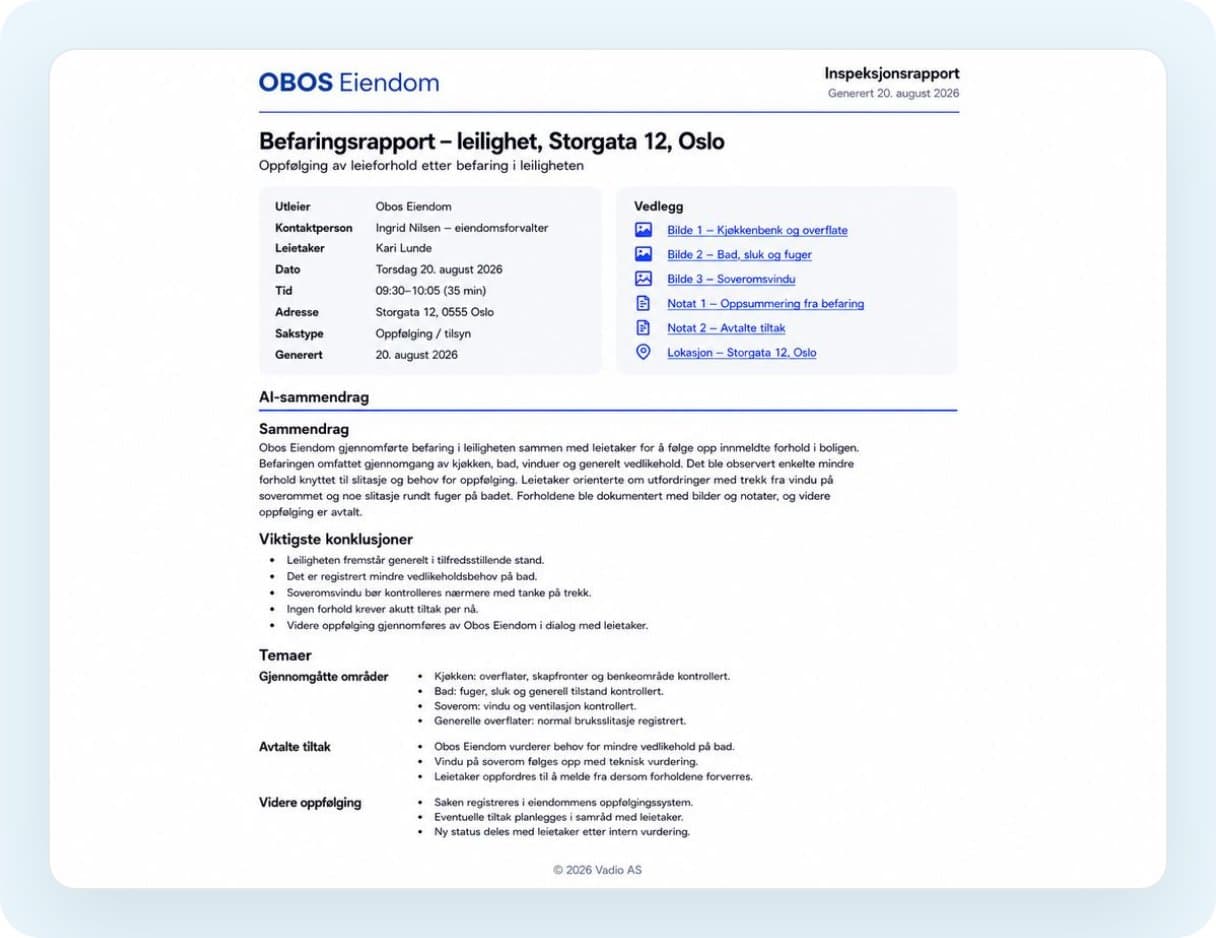
Ready-made checklists, and your own.

Your next inspection, reported the same day.
Its own 14-day trial. The checklists are ready.